
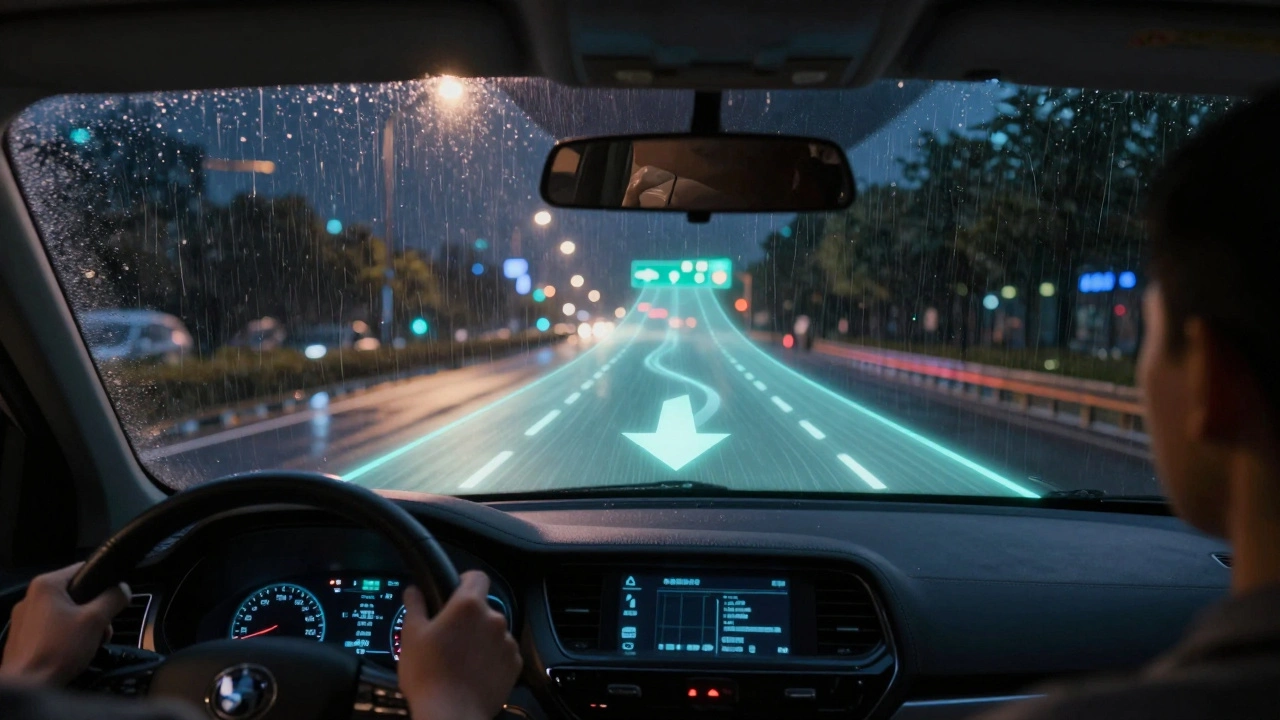
Imagine driving in heavy rain at night, the road ahead is slick, and the exit you need is just ahead-but the signs are blurry. You glance down to check your phone map, and for a split second, your eyes leave the road. Now imagine instead that the lane you need to turn into lights up in front of you, glowing softly on the windshield, with a real-time arrow pointing exactly where to go. No looking down. No confusion. Just clear, visual guidance that feels like magic-but it’s not magic. It’s AR HUD navigation.
What Exactly Is AR HUD Navigation?
AR HUD stands for Augmented Reality Head-Up Display. It’s not the same old dashboard display that just shows your speed or a simple turn arrow. This system projects digital information directly onto your windshield, aligned with the real world. It doesn’t just tell you to turn left-it shows you a glowing lane marker extending from your car to the exact exit ramp, with a 3D arrow that moves as you steer.
Early HUDs, like those in military jets and later in luxury cars, only showed basic data: speed, RPM, maybe a navigation arrow. Modern AR HUDs use cameras, GPS, lidar, and real-time mapping to overlay digital cues onto the physical environment. The system knows your exact position down to the centimeter, and it knows which lane you’re in. That’s how it can guide you at the lane level.
Companies like BMW, Mercedes-Benz, and Hyundai now offer AR HUDs in their 2025 models. These systems don’t just show you the next turn-they highlight the correct lane for merging, warn you if you’re drifting out of your lane, and even show pedestrian crossings ahead with flashing outlines. It’s navigation that doesn’t just tell you where to go-it helps you get there safely.
How Lane-Level Guidance Works
Traditional navigation apps rely on voice prompts and static map icons. You hear, “In 500 feet, take the next exit.” But what if that exit is the third one? What if you’re in the wrong lane? What if the exit has multiple ramps? That’s where lane-level guidance changes everything.
AR HUD systems pull data from multiple sources:
- High-definition maps with lane-by-lane geometry
- Real-time GPS and inertial sensors tracking your position
- Forward-facing cameras identifying road markings and signs
- Vehicle-to-everything (V2X) communication in supported areas
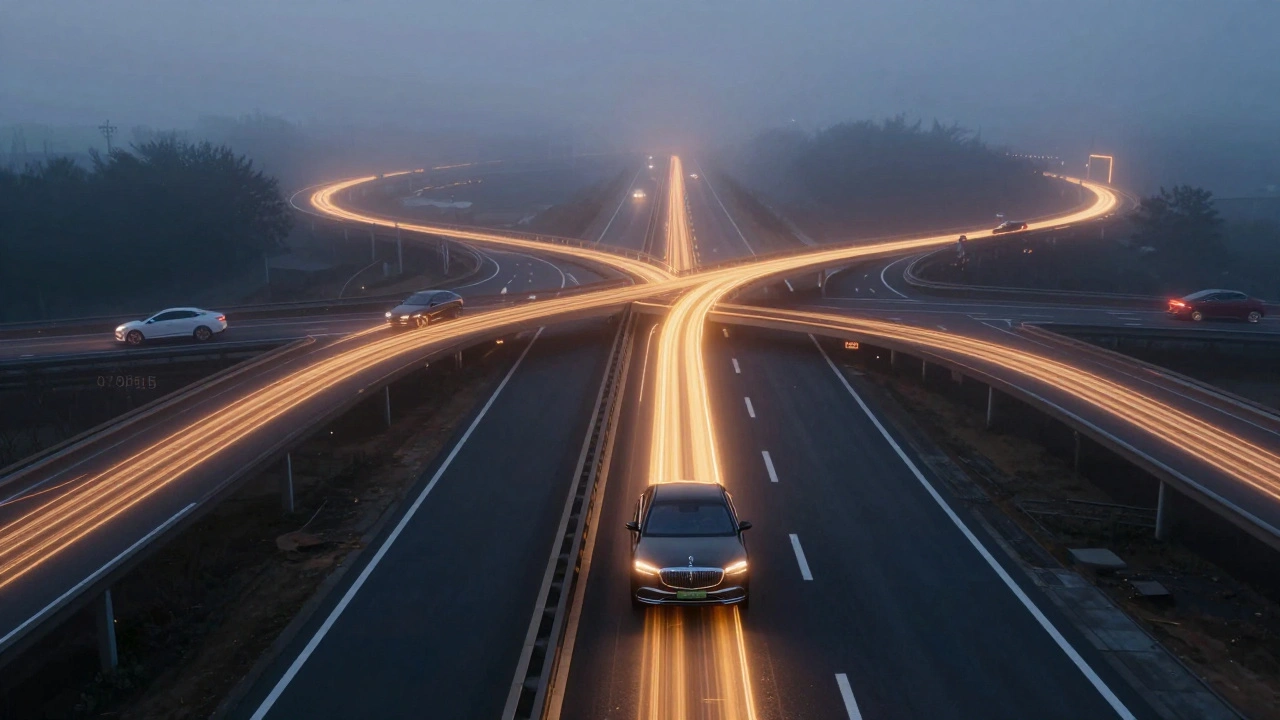
When you approach a complex interchange-say, a cloverleaf with five possible exits-the system doesn’t just say “exit now.” It draws a glowing path along the exact lane you need to be in, even if that lane is three lanes over. The arrow doesn’t appear on the dashboard. It appears on the windshield, floating just beyond the hood, aligned with the road ahead. You don’t need to guess. You just follow the light.
Testing by the University of Michigan Transportation Research Institute showed drivers using AR HUDs with lane-level guidance made 47% fewer lane-change errors in high-stress scenarios like highway interchanges. The reduction in cognitive load was significant. Drivers didn’t have to mentally translate a map into physical movement. The system did it for them.
Safety Benefits Beyond Navigation
AR HUD isn’t just about getting you to your destination. It’s about keeping you alive.
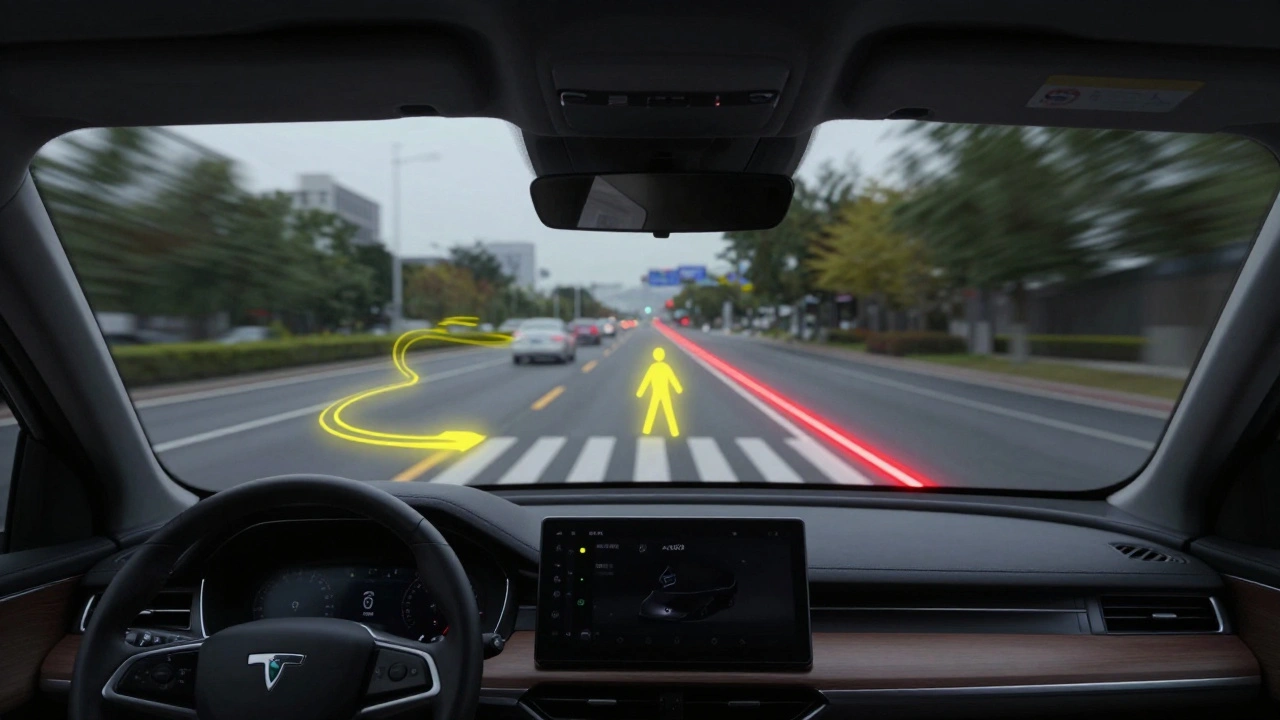
Many 2025 models now integrate collision warnings directly into the HUD. If a car suddenly brakes in front of you, a red outline appears around it on the windshield-not just a beep or a flashing icon on the side mirror. If a pedestrian steps into the road ahead, their outline is highlighted in yellow, with a pulsing border that gets brighter as they get closer. These cues appear in your direct line of sight, so your brain processes them faster than if you had to look away to a dashboard alert.
Studies from the Insurance Institute for Highway Safety (IIHS) found that vehicles with AR HUDs and integrated safety alerts reduced rear-end collisions by 22% in urban environments and 31% on highways compared to vehicles with standard alerts. Why? Because reaction time dropped. When a warning appears where your eyes are already focused-on the road-you respond 0.3 to 0.5 seconds faster. That’s enough to avoid a crash at highway speeds.
Another underrated feature: night vision integration. In low-light conditions, the HUD can highlight curbs, lane markings, and even animals on the roadside using thermal imaging data. The system doesn’t just show you the road-it enhances it.
What You’ll See in a 2025 AR HUD System
Here’s what a typical AR HUD experience looks like in a 2025 model:
- Dynamic lane guidance: A glowing, semi-transparent line extends from your car to the correct exit lane, shifting position as you turn the wheel.
- Intersection alerts: As you approach a crossroad, the system highlights the correct turning path and shows the status of traffic lights ahead.
- Speed limit reminders: If you’re speeding, the current limit appears in red on the windshield. When you slow down, it turns green.
- Adaptive warnings: If you’re drifting, the system draws a soft red border along the lane edge. If you’re too close to the car ahead, a distance gauge appears between your vehicles.
- Weather adaptation: In fog or heavy rain, the system brightens and thickens the guidance lines for better visibility.
Some systems even adjust the brightness and color of the display based on your eye movement. If you’re looking at the dashboard too often, the HUD dims slightly to reduce distraction. If you’re scanning the road ahead, it brightens. It’s not just smart tech-it’s adaptive intelligence.
Limitations and Things to Watch Out For
AR HUDs aren’t perfect. They require precise calibration. If your windshield is cracked, tinted, or dirty, the projection can blur or distort. Some systems don’t work well under direct sunlight, especially older models.
There’s also the risk of information overload. Early versions of AR HUDs showed too much-speed, navigation, lane guidance, traffic alerts, blind spot warnings-all at once. That’s distracting, not helpful. The best systems now use context-aware filtering. They only show what you need, when you need it.
For example: if you’re on a straight highway with no exits for miles, the HUD might only show your speed and cruise control status. But the moment you enter a construction zone, it floods the windshield with lane markers, speed limit changes, and worker alerts. It’s not just about showing data-it’s about showing the right data at the right time.
Another issue: compatibility. Not all AR HUDs work with third-party apps like Waze or Google Maps. Most are locked into the carmaker’s own navigation system. If you rely on real-time traffic updates from other apps, you might lose some of the benefits unless the carmaker has partnered with those services.
Who Benefits Most From AR HUD Navigation?
AR HUDs help everyone-but some drivers benefit more than others.
- New drivers: Less pressure to memorize signs or interpret complex maps. The system guides them like a co-pilot.
- Older drivers: Reduced need to squint at small screens or turn their heads. Visual cues are clearer and more intuitive.
- Commuters in dense cities: Complex intersections, one-way streets, and lane restrictions become effortless to navigate.
- Long-haul drivers: Fatigue reduces reaction time. AR HUDs compensate by providing constant, low-effort guidance.
Even experienced drivers report feeling less stressed. One fleet manager in Chicago reported a 35% drop in near-miss incidents among drivers using AR HUD-equipped delivery vans. “They’re not just better at turning,” he said. “They’re calmer. They’re not second-guessing every exit.”
What’s Next for AR HUDs?
The next wave of AR HUDs will integrate with autonomous driving systems. In Level 3 and Level 4 vehicles, the HUD will shift from guidance to handover alerts. If the car needs you to take control, it won’t just beep-it’ll flash a bright, pulsing circle around the steering wheel on the windshield, with a clear instruction: “Take Over Now.”
Some prototypes are even experimenting with eye-tracking to predict where you’re looking next. If you glance toward the left mirror, the HUD might pre-load the next exit’s lane guidance on that side. It’s not just reacting to your actions-it’s anticipating them.
By 2027, AR HUDs are expected to become standard in mid-range vehicles, not just luxury models. The cost of projectors and sensors is dropping fast. What was once a $3,000 option is now being bundled into mid-tier trims.
Final Thoughts: It’s Not About Tech. It’s About Trust.
AR HUD navigation isn’t just a cool gadget. It’s a safety tool that reduces human error-the leading cause of crashes. It turns abstract directions into physical cues you can’t ignore. It doesn’t just make driving easier. It makes it safer.
When the system works right, you don’t think about it. You just follow the light. And that’s exactly how it should be.
Can AR HUD navigation work with Apple CarPlay or Android Auto?
Most AR HUD systems today are tied to the carmaker’s built-in navigation and don’t support third-party apps like Apple CarPlay or Android Auto. Some newer models from BMW and Mercedes now offer limited integration with Google Maps, but only for basic route guidance. The full lane-level AR features-like glowing lane markers and real-time merging cues-only work with the car’s native system. If you rely on Waze or Apple Maps for traffic alerts, you’ll miss out on the advanced AR features unless the manufacturer has partnered with those services.
Do I need a special windshield for AR HUD?
Yes. AR HUDs require a specially treated windshield with a wedge-shaped layer that reflects the projector’s light without distorting the view. Standard windshields will cause the image to blur or double. If your windshield is replaced after damage, the replacement must be the exact OEM part designed for AR HUD compatibility. Using a generic replacement can disable the system or make the display unreadable.
Is AR HUD distracting while driving?
When properly designed, AR HUDs reduce distraction. Because information appears in your line of sight, you don’t need to look away from the road. However, poorly implemented systems that show too many alerts at once can overwhelm drivers. The best systems use context-aware filtering-only showing critical info when needed. For example, if you’re on a straight highway, the HUD might only show your speed. It activates full guidance only when approaching an exit or intersection.
How much do cars with AR HUD cost?
In 2025, AR HUD is available as a standard feature in premium models like the BMW 7 Series, Mercedes S-Class, and Genesis G90. In mid-range vehicles, it’s often bundled into higher trim packages. For example, the Hyundai Sonata Limited or Toyota Camry XSE with the Advanced Driver Assist package includes AR HUD for around $3,500 extra. Some 2025 models, like the Kia K5 GT-Line, now offer it as part of a $1,800 tech package. Prices are falling fast, and by 2026, it’s expected to appear in base trims of mainstream sedans.
Does AR HUD work in bad weather?
Yes, but with limitations. Heavy rain, snow, or fog can reduce visibility of the projected image. However, modern systems automatically adjust brightness, contrast, and line thickness to compensate. In low-visibility conditions, the system may switch to thicker, brighter lines or even add thermal outlines of pedestrians or curbs. The HUD’s sensors still function in bad weather, but the clarity of the display depends on windshield clarity. A dirty or streaked windshield can make the projection hard to see.
Comments
John Fox
Been using the AR HUD in my 2025 BMW for six months now
It just works
No more guessing lanes
Just follow the light
December 15, 2025 at 20:04
chioma okwara
yo so like i tried this ar hud thing and honestly its not magic its just fancy gps with a screen glued to your windshield
also why do they call it augmented reality when its just a glowy line
its not even real ar its just a fancy dashboard
December 17, 2025 at 16:38
Samar Omar
How utterly pedestrian to reduce the sublime elegance of augmented reality navigation to a mere traffic aid
The true genius lies not in the projection of glowing lanes, but in the epistemological shift it forces upon the human driver-the relinquishing of cognitive agency to an algorithmic gaze that sees the road as a symphony of data points, each lane a note, each curve a cadence
One does not merely navigate with an AR HUD; one is conducted by it, as if the vehicle itself has become an extension of the driver’s subconscious, a Kantian noumenon rendered visible through the lens of LiDAR and machine learning
And yet, how tragically banal that this technology, born of aerospace precision and quantum-calibrated mapping, is now being sold as a $3,500 upgrade for the Sonata Limited
It is not a feature-it is a revelation
And the fact that most drivers treat it like a fancy speedometer reveals the sad truth: we have become so accustomed to mediocrity that even transcendence must be packaged in a dealer option list
I weep for the future
Not because the tech is flawed
But because humanity refuses to recognize its own evolution when it’s wrapped in a leather-wrapped steering wheel and a 12.3-inch touchscreen
December 19, 2025 at 04:20
Anuj Kumar
they’re watching you
the hud tracks your eyes
they know when you look away
they dim the display to punish you
this is how they control us
next thing you know they’ll disable your car if you use waze
government and car companies working together
they want you dependent
they want you blind without the screen
December 19, 2025 at 18:39
Christina Morgan
This is one of those rare tech innovations that actually makes driving safer without being gimmicky
I’ve seen older relatives who used to panic at highway exits suddenly feel confident with AR HUD
It’s not about showing off-it’s about reducing mental load
And honestly, the fact that it adapts brightness based on where you’re looking? That’s next-level human-centered design
If more car tech was this thoughtful, we’d have fewer accidents and more calm drivers
Let’s not let the naysayers scare us off from real progress
December 20, 2025 at 01:55
Tasha Hernandez
Oh wow, so now our cars are going to babysit us until we forget how to drive entirely
Let me guess-the next update will also whisper ‘good job’ when you brake gently
And when the system fails because your windshield got a chip? Who do you blame? The car? Or your own pathetic inability to afford a $1,200 OEM replacement
It’s not safety-it’s infantilization
They’ve turned driving into a video game where the only skill left is paying for the right trim level
And don’t get me started on how this tech is locked to proprietary maps
Apple and Google are being deliberately sidelined because the automakers want to own your attention
This isn’t innovation-it’s corporate control dressed in neon lane markers
December 21, 2025 at 22:18
Kathy Yip
I love the idea but I wonder… what happens when the system misreads a lane? Like if construction changes things and the map isn’t updated?
Do you trust the glowing line even when your gut says it’s wrong?
There’s something beautiful about the tech, but also kind of scary
We’re outsourcing spatial awareness to machines
And what if the algorithm makes a mistake?
I don’t know
It feels like we’re walking a tightrope between convenience and dependency
And I’m still not sure which side I’m falling on
December 23, 2025 at 01:59
Bridget Kutsche
As someone who drives 80 miles a day for work, this tech is a game-changer
Especially in rain or fog
The way the lines thicken and glow brighter? Lifesaver
And the pedestrian detection at night? I’ve seen it flag a raccoon crossing before I even saw it
It’s not magic
It’s engineering that actually cares about people
If your car doesn’t have this by 2026, you’re driving in the dark-literally and figuratively
December 24, 2025 at 17:25
Jack Gifford
AR HUD is the quiet hero of modern driving
People act like it’s flashy tech
But it’s really just good UX
Put the info where your eyes already are
Stop making drivers look away
That’s it
No overcomplicating
No hype
Just common sense
December 25, 2025 at 08:02
Sarah Meadows
Let’s be clear
This isn’t innovation
This is a Trojan horse
China and Germany are pushing this tech to dominate global automotive standards
Once every car has proprietary AR HUD
They control the data
They control the routes
They control the driver
And we’re just handing it to them because it’s ‘convenient’
Wake up
December 25, 2025 at 13:22
Nathan Pena
The entire premise is fundamentally flawed
AR HUDs do not reduce cognitive load
They externalize it
And externalized cognitive load is still load
It’s merely displaced
Instead of processing a map mentally, you now process a visual overlay
Both require attention
The only difference is that the latter is more visually intrusive
And if you’re not a technocrat who speaks fluent LiDAR
You’re just being manipulated by glowing lines
It’s not safety
It’s spectacle
December 26, 2025 at 05:27
Mike Marciniak
They’re not just guiding you
They’re training you
Every time you follow the line
You’re conditioning yourself to obey
Soon you won’t even trust your own eyes
What happens when the system goes down
Or gets hacked
Or gets turned off by a government mandate
You’ll be helpless
Because you forgot how to drive
December 27, 2025 at 01:42
poonam upadhyay
OMG I tried this in my cousin’s new Hyundai and I cried
It’s like the car is whispering to me
‘Sweetie, go left now’
And it’s not even yelling
It’s just… there
Like a guardian angel made of light
And when the rain came
The lines got thicker
And I felt so safe
Like… finally someone gets it
Why is everyone so mad?
It’s just… nice
December 28, 2025 at 22:04
VIRENDER KAUL
It is imperative to note that the deployment of augmented reality head-up display systems represents a paradigmatic shift in human-machine symbiosis
However, the integration of such technologies into mass-market vehicles, without standardized calibration protocols or mandatory driver certification, constitutes a critical regulatory lacuna
The assertion that this technology reduces accidents is statistically plausible
Yet, it remains empirically unverified across heterogeneous driving populations
Furthermore, the proprietary nature of the underlying mapping infrastructure introduces systemic vulnerabilities
One must question whether the convenience of glowing lane markers justifies the surrender of navigational autonomy
It is not merely a question of safety
It is a question of sovereignty
December 30, 2025 at 16:02